

Kinsta review (2026): performance, support and total cost
Quick verdict and evidence status
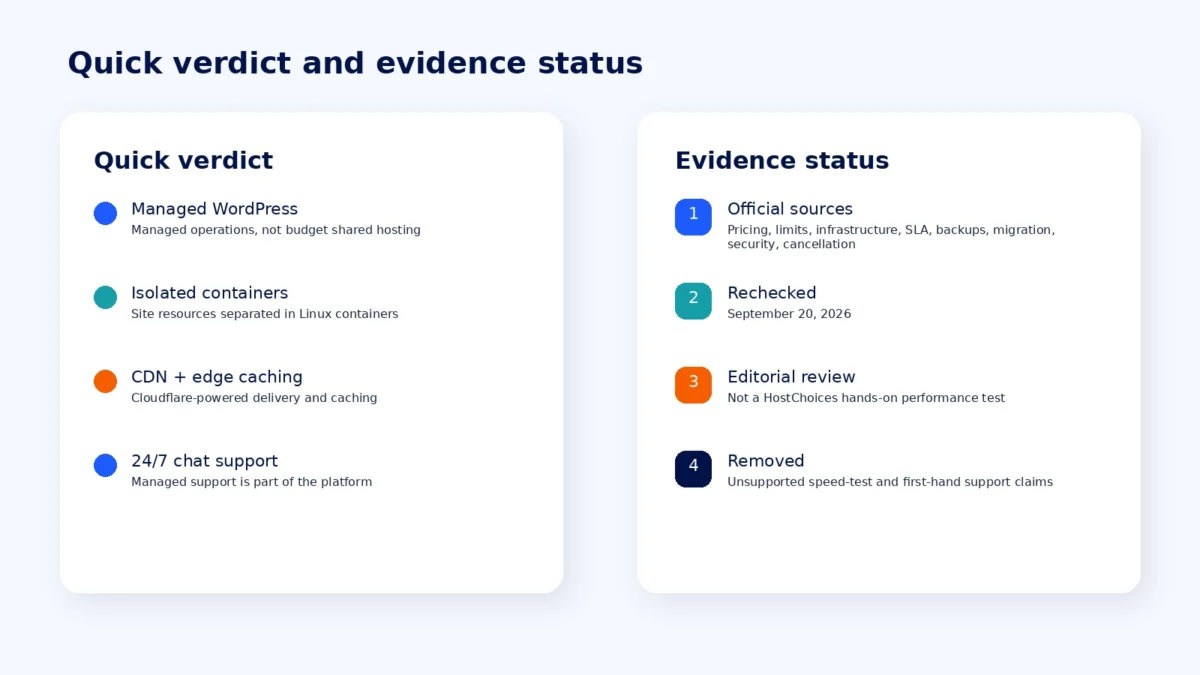
Verdict: Kinsta is a premium managed WordPress host with isolated Linux containers, a custom MyKinsta control panel, Cloudflare-powered CDN and edge caching, and 24/7 chat support. Its entry pricing is substantially higher than budget shared hosting, and usage limits still matter, but the current platform is more flexible than the older plan structure reflected in the original draft.
Evidence status: This is an evidence-based editorial review, not a HostChoices hands-on performance test. Pricing, limits, infrastructure, support, SLA, backup, migration, security, and cancellation claims below were rechecked against current official documentation on September 20, 2026. Unsupported speed-test and first-hand support claims from the draft were removed.
A Kinsta review in 2026 needs to start with two changes that make older reviews unreliable: Kinsta has moved its current WordPress platform to Oracle Cloud Infrastructure (OCI), replacing its former Google Cloud setup, and its pricing structure now includes visit-based, bandwidth-based, multiple-site, and business plans. The old Starter, Pro, Business 1, and Business 2 framing is no longer a safe way to describe the current lineup.
Kinsta still targets buyers who want managed WordPress operations rather than the lowest possible hosting bill. Its value proposition centers on isolated site containers, managed caching and security, a purpose-built control panel, free migrations, and a support model focused on chat. This review separates those documented platform features from claims that would require first-party testing.
Kinsta pricing and renewal cost
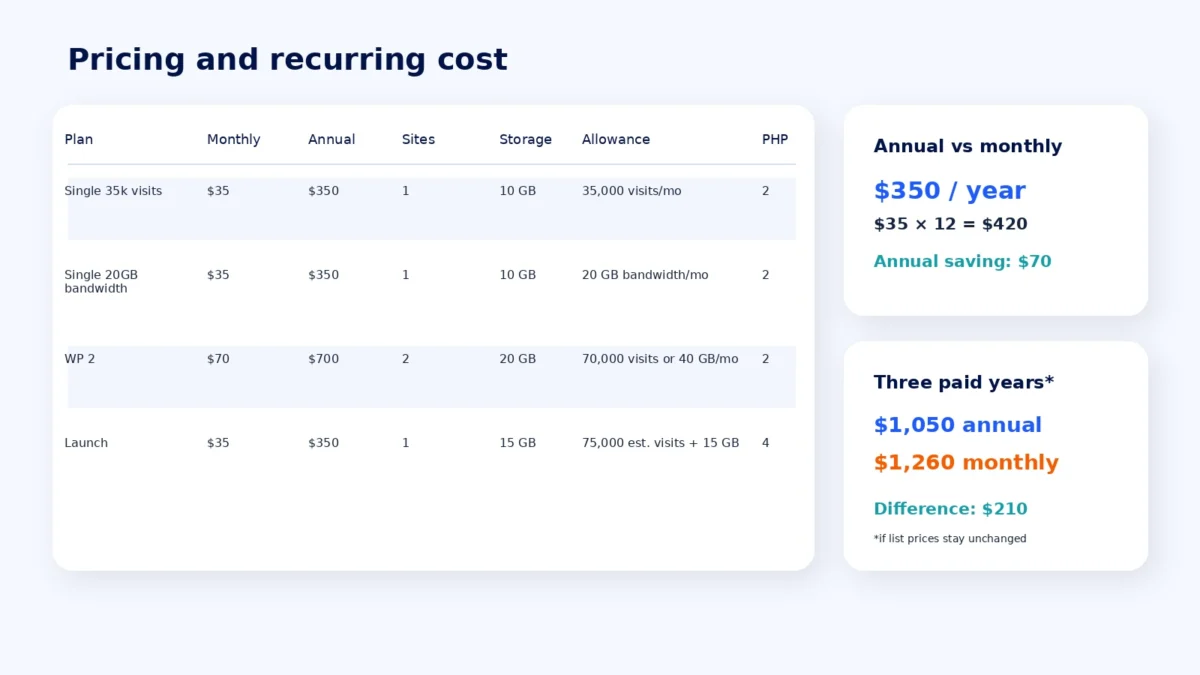
Kinsta currently lets customers choose between different plan families and, for some single-site plans, between visit-based and server-bandwidth-based billing. The current entry point is $35 per month, while annual billing on the same entry tier is $350 per year. Kinsta is also running a first-month-free offer on selected entry plans, including Single 35k visits, Single 20GB bandwidth, WP 2, and Launch.
| Plan | Monthly price | Annual price | WordPress installs | Storage | Primary allowance | PHP threads |
|---|---|---|---|---|---|---|
| Single 35k visits | $35 | $350 | 1 | 10 GB | 35,000 visits/month | 2 |
| Single 20GB bandwidth | $35 | $350 | 1 | 10 GB | 20 GB server bandwidth/month | 2 |
| WP 2 | $70 | $700 | 2 | 20 GB | 70,000 visits or 40 GB server bandwidth/month | 2 |
| Launch | $35 | $350 | 1 | 15 GB | 75,000 estimated visits/month and 15 GB server bandwidth | 4 |
The useful pricing point is not that Kinsta has a permanent “flat price” guarantee. Prices can change in the future. What the current checkout does show clearly is the regular recurring charge after the introductory free month, rather than a low first-term price followed by a separately listed higher renewal rate. At current list prices, paying $350 annually instead of $35 monthly saves $70 for each full paid year. Three full paid years would therefore be $1,050 annually versus $1,260 month to month if prices remained unchanged.
For side-by-side planning, the HostChoices web hosting cost calculator is the more useful place to compare multi-year totals across providers because promotions and renewal structures differ.
Cancellation and money-back terms
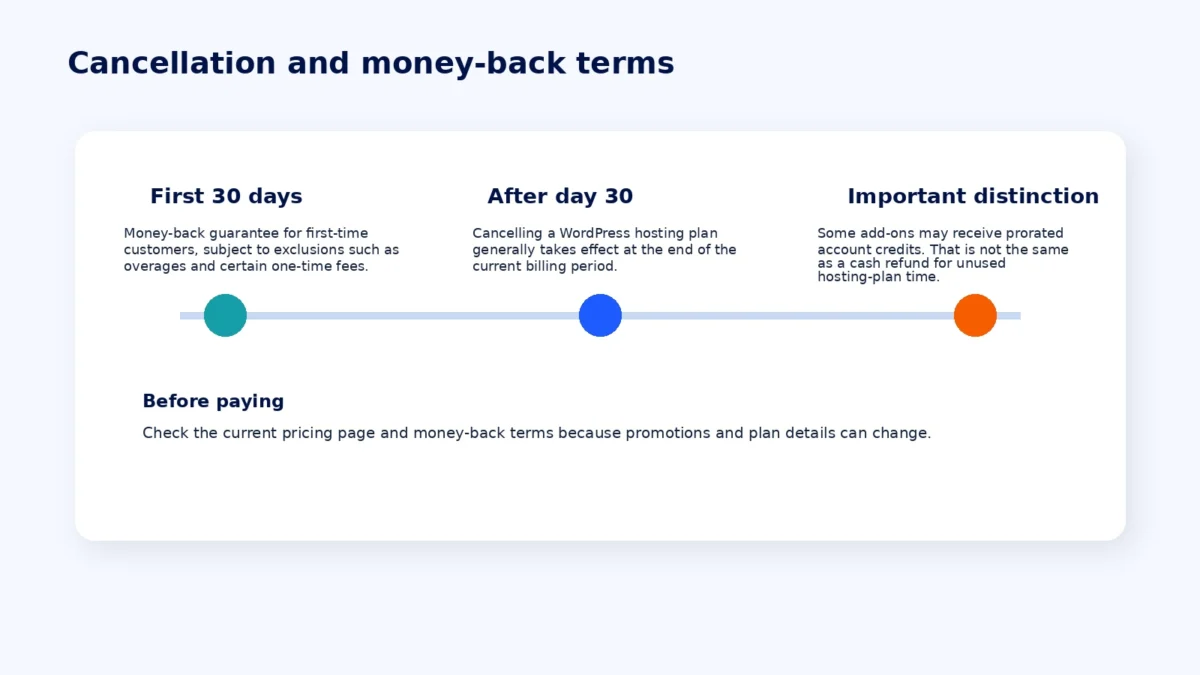
The original draft overstated Kinsta’s refund policy. Kinsta offers a 30-day money-back guarantee to first-time customers, subject to exclusions such as overages and certain one-time fees. After the 30-day period, cancelling a WordPress hosting plan generally takes effect at the end of the current billing period. Kinsta documents prorated account credits for some cancelled add-ons, but that is not the same as a cash refund for unused hosting-plan time.
Before paying, check the current Kinsta pricing page and the money-back guarantee terms, because promotions and plan details are time-sensitive.
MyKinsta dashboard and WordPress management
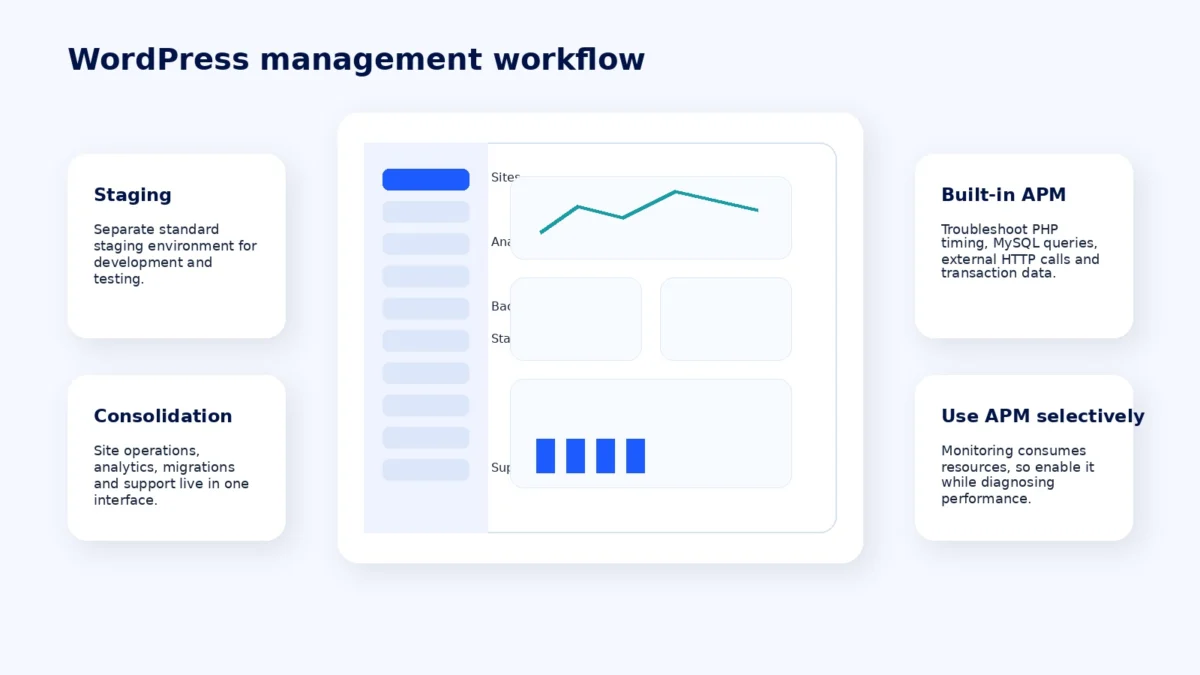
Kinsta does not use cPanel or Plesk. Site management runs through MyKinsta, which brings together site creation, domains, analytics, caching, backups, staging, redirects, PHP controls, SSH/SFTP access, and support. Each WordPress install can also have a separate standard staging environment for development and testing.
Kinsta’s built-in Application Performance Monitoring tool is available without a separate third-party monitoring subscription. It can capture PHP process timing, MySQL queries, external HTTP calls, and related transaction data while troubleshooting. Kinsta recommends enabling APM only while diagnosing performance because monitoring itself consumes resources.
For developers and agencies, the main advantage is consolidation: the platform combines site operations, analytics, staging, migration requests, and troubleshooting tools in the same interface. That is a workflow benefit rather than proof that every task will be faster for every user.
Infrastructure, performance, and uptime
One of the biggest factual corrections in this audit is Kinsta’s infrastructure. Current Kinsta documentation says the platform now operates on Oracle Cloud Infrastructure (OCI); references to Google Cloud in older Kinsta material describe the previous setup. Kinsta also documents isolated Linux containers for WordPress sites. The original draft’s description of current “LXD containers on Google Cloud Platform” was therefore removed.
Each site runs in its own software container containing Linux, NGINX, PHP, and MySQL. Kinsta says standard live site containers have access to 12 CPUs and 8 GB of RAM by default, while resource behavior is still governed by plan-level PHP and usage limits. This isolation is relevant for workload separation, but it should not be described as a dedicated physical server.
Kinsta currently lists 30 managed WordPress data center locations. Its Cloudflare integration includes a CDN and edge caching, and Kinsta’s current documentation describes a Cloudflare network of 300+ locations. HTTP/3 support, DDoS protection, and a managed web application firewall are also documented platform features.
This audit does not publish an average TTFB, load-test score, or “faster than” percentage because no current HostChoices test export or methodologically comparable independent benchmark was supplied with the package. Architecture can explain why a service is designed for performance; it cannot substitute for a measured benchmark.
For availability, Kinsta’s current SLA sets a 99.9% uptime guarantee unless a higher figure is specified in a customer order form. Eligible SLA credits depend on the documented downtime calculation and exclusions. See the HostChoices methodology page for the distinction between provider claims and measured results in how HostChoices tests web hosting.
Support quality and channels
Kinsta provides support 24/7 through the chat system inside MyKinsta. It does not offer phone support for normal technical assistance. Kinsta says its average initial response time is under two minutes; that figure is a provider-reported service metric, not a HostChoices support test in this review.
Kinsta also describes its support team as engineers and developers with WordPress experience. The practical advantage of the chat model is that troubleshooting can include screenshots, code, account context, and a stored conversation history. Buyers who strongly prefer telephone support should treat the lack of a phone channel as a real trade-off.
Resource limits, PHP threads, and overages
Kinsta’s platform is managed, but it is not unlimited. Depending on the selected plan, billing and capacity can be tied to monthly visits or server bandwidth, while storage and CDN allowances also apply.
Visit, bandwidth, and storage overages
- Visit-based plans: the current overage rate is $0.50 per 1,000 visits above the plan allowance.
- Server-bandwidth plans: the current overage rate is $0.50 per GB above the plan allowance.
- Disk space: overage is calculated daily and prorated at $2 per GB per month.
Kinsta keeps sites running when a visit allowance is exceeded and sends usage alerts, but repeated overages can make a larger plan or different billing model more economical.
PHP threads
Kinsta now uses the term PHP threads for what it previously called PHP workers. Each thread handles one PHP request at a time, so thread limits matter most on dynamic, poorly cached, or transaction-heavy workloads.
The Single 35k visits, Single 20GB bandwidth, and WP 2 plans currently include two PHP threads by default. The Launch plan includes four. Kinsta’s own documentation also notes that more threads do not automatically make a site faster; caching, database performance, code efficiency, memory, and server configuration all affect throughput.
For WooCommerce, membership, LMS, or other highly dynamic sites, the safer approach is to monitor real queueing and APM data rather than assume a specific plan is sufficient based only on traffic.
Security, backups, and migrations
Kinsta routes web traffic through Cloudflare and documents Layer 3, 4, and 7 DDoS protection, a managed WAF, and automated brute-force blocking for WordPress login attacks. Kinsta also has a malware-removal security pledge: if an eligible WordPress site is hacked while hosted there, the team will work with the customer at no charge to try to repair the damage. The pledge has eligibility conditions, so it should not be described as an unconditional “hack fix guarantee.”
Backups include automatic daily restore points. On current entry and many mid-range plans, the standard retention period is 14 days. Kinsta also offers manual and system-generated backups, downloadable backups, and paid hourly and external-backup options. Retention varies on higher tiers.
Migration is one of the clearer inclusions: Kinsta currently offers unlimited free migrations for standard WordPress sites, subject to the number of installs available in the customer’s plan. Expedited migration is a separate paid option.
Kinsta pros and cons
Pros
- Current OCI platform with isolated Linux containers: the architecture is designed to separate site software environments rather than place all sites into one traditional shared-hosting stack.
- Clear recurring prices at checkout: selected entry plans currently show a free first month and the normal recurring charge that follows.
- Cloudflare integration: CDN, edge caching, HTTP/3, WAF, and DDoS protections are integrated into the managed platform.
- Useful developer tooling: staging, SSH/SFTP, analytics, caching controls, and built-in APM reduce dependence on separate operational tools.
- Free migrations: unlimited migrations are included for standard WordPress sites within plan install limits.
- 24/7 support: support is available around the clock through MyKinsta chat.
Cons
- Premium entry price: $35 per month is much higher than introductory shared-hosting offers.
- Usage-based limits still matter: visits or server bandwidth, CDN usage, storage, and PHP threads can affect cost or capacity.
- Two PHP threads on several entry plans: dynamic workloads may need careful monitoring or a different plan.
- No bundled mailbox hosting: Kinsta does not include conventional email inbox hosting with WordPress plans.
- No phone support: technical support is chat-first.
- No first-party performance benchmark in this review: buyers who need measured latency or concurrency data should compare a reproducible test on their own workload.
Kinsta vs WP Engine and SiteGround
The closest comparisons depend on what you are buying. WP Engine is another premium managed WordPress platform. SiteGround’s GrowBig plan is much cheaper at signup but belongs to a different price and resource model, so its headline price should not be treated as an apples-to-apples substitute for Kinsta.
| Provider and plan | Current listed price | Sites | Storage | Traffic allowance | Pricing note |
|---|---|---|---|---|---|
| Kinsta Single 35k | $35/month or $350/year | 1 | 10 GB | 35,000 visits/month | First month currently free on this entry plan |
| WP Engine Startup | Starts at $30/month; $300/year on the annual offer shown | 1 | 10 GB | 25,000 visits/month | Premium managed WordPress competitor |
| SiteGround GrowBig | $4.99/month introductory; $29.99/month renewal on the US page checked | Unlimited | 50 GB | Unlimited traffic subject to plan resource limits | Lower-cost shared hosting model; 12-month prepayment on the displayed offer |
Pricing changes frequently, so this table is a dated snapshot rather than a permanent ranking. The more important distinction is operational: Kinsta and WP Engine sell a managed WordPress platform at premium pricing, while SiteGround competes more aggressively on introductory cost.
Who Kinsta fits best
Kinsta is most relevant to businesses, publishers, developers, and agencies that value managed operations, container isolation, staging, built-in performance diagnostics, and a support team available at all hours. It can also make sense for revenue-producing WordPress sites where time spent managing infrastructure costs more than the hosting premium.
For WooCommerce or membership workloads, the decision should be driven by dynamic-request behavior and PHP-thread demand, not just monthly pageviews. Kinsta’s Launch family is especially relevant here because it starts with four PHP threads at the same $35 monthly entry price as several single-site plans.
Who should consider alternatives
Budget-first personal sites, portfolios, and low-stakes blogs can usually find cheaper hosting. Kinsta is also less attractive when bundled email hosting or telephone support is a hard requirement. Sites with unusual traffic patterns should compare visit-based and bandwidth-based pricing carefully before choosing a plan.
If you are still comparing managed providers, the HostChoices guide to managed WordPress hosting provides a broader shortlist and decision framework.
Final verdict
Kinsta’s current proposition is stronger when described precisely than when dressed up with unsupported benchmark claims. The 2026 platform combines OCI infrastructure, isolated Linux containers, Cloudflare services, free migrations, MyKinsta tooling, and 24/7 chat support. The trade-offs are equally concrete: premium pricing, usage allowances, entry-tier PHP-thread limits, no bundled mailbox hosting, and no phone support.
For buyers who want managed WordPress operations and can justify the price, Kinsta belongs on the shortlist. For buyers who mainly need the lowest monthly cost, the economics point elsewhere. The decisive step is to match your own dynamic workload and usage pattern to the current plan limits rather than relying on generic speed claims.
Frequently asked questions
Does Kinsta offer free migrations?
Yes. Kinsta currently offers unlimited free migrations for standard WordPress sites, with the practical limit being the number of WordPress installs available on the customer’s plan. Expedited migration is a separate paid service.
What happens if I exceed the visit limit?
On visit-based plans, Kinsta keeps the site running and currently charges $0.50 per 1,000 visits above the allowance. It also sends usage notifications. Bandwidth-based plans use a different overage model.
Does Kinsta include email hosting?
No. Kinsta’s WordPress plans do not include conventional mailbox hosting, so a separate email provider is needed for custom-domain inboxes.
How many data centers does Kinsta offer?
Kinsta’s managed WordPress documentation currently lists 30 data center locations. Availability can depend on plan and infrastructure changes.
Is Kinsta still on Google Cloud?
No. Kinsta’s current documentation says its new infrastructure is powered by Oracle Cloud Infrastructure (OCI), and older Google Cloud references describe the previous platform.
Claims ledger and evidence sources
| Claim | Current status | Primary source | Checked date |
|---|---|---|---|
| Entry plan pricing and first-month-free offer | $35/month entry price; selected entry plans show first month free | Kinsta pricing | September 20, 2026 |
| Current cloud platform | Oracle Cloud Infrastructure replaces the former Google Cloud setup | Kinsta infrastructure upgrades | September 20, 2026 |
| Container architecture | Isolated Linux containers for WordPress sites | Kinsta infrastructure documentation | September 20, 2026 |
| Managed WordPress data centers | 30 locations listed | Kinsta data center locations | September 20, 2026 |
| Uptime guarantee | 99.9% unless a higher figure is specified in the order form | Kinsta SLA | September 20, 2026 |
| Visit and storage overages | $0.50/1,000 visit overage; disk overage prorated at $2/GB/month | Kinsta overages documentation | September 20, 2026 |
| PHP threads | Entry thread counts vary by plan; Single 35k and WP 2 currently list two | Kinsta PHP documentation | September 20, 2026 |
| Support channels | 24/7 MyKinsta chat; no phone support; provider states average initial response under two minutes | Kinsta support documentation | September 20, 2026 |
| Cancellation and money-back policy | 30-day guarantee for eligible first-time customers; later plan cancellation takes effect at period end | Kinsta money-back guarantee | September 20, 2026 |
| Backup retention | Daily backups; 14-day retention on many entry and mid-range plans | Kinsta backups documentation | September 20, 2026 |
| Malware-removal pledge | Free assistance for eligible hacked WordPress sites, subject to stated conditions | Kinsta malware removal policy | September 20, 2026 |
| Free migrations | Unlimited free migrations for standard WordPress sites within plan install limits | Kinsta migrations documentation | September 20, 2026 |
Affiliate disclosure: HostChoices may earn a commission from eligible partner links at no extra cost to you.