Managed WordPress Hosting Comparison: Kinsta vs WP Engine vs Cloudways (2026)
By HostChoices Editorial
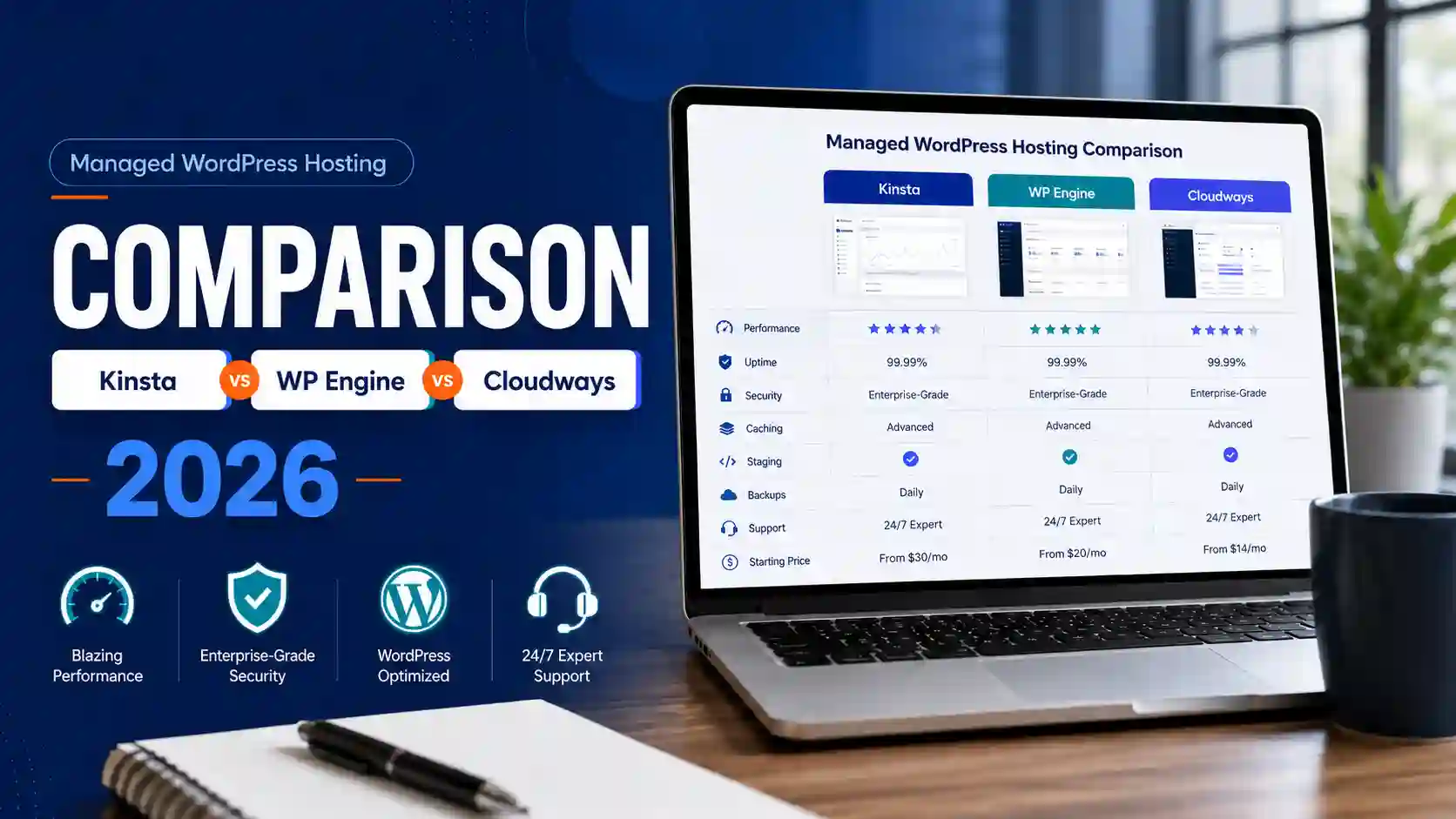
| The decision in one minute For a single revenue-critical WordPress site, Kinsta is the safest default: its current annual price and refund mechanics are the clearest. WP Engine is the workflow-first choice for agencies that need multiple sites, staging/development environments and phone support above Startup, but its public page says renewal pricing can change. Cloudways Flexible has the lowest displayed starting monthly price and the broadest server flexibility, but it is not a like-for-like fixed WordPress package: you must verify the launch-screen price, size the server and remove every billable resource when leaving. |
This managed WordPress hosting comparison is based on current official US pricing, billing, cancellation, migration and support documentation. HostChoices did not use a live account or matched current-week performance test for this article. Therefore, the verdict is commercial and operational—not a claim that one provider is universally faster.
Quick verdict: three winners for three operating models
| Provider | Best for | Commercial reality | HostChoices verdict |
| Kinsta | Nontechnical business with one important site | Clear $350 annual entry amount; first month free; fixed site/usage limits | Default recommendation |
| WP Engine | Agency or development team managing several sites | Deep workflow tools; Startup is chat-only; public renewal price is not fixed | Best workflow fit |
| Cloudways Flexible | Technical owner seeking low displayed entry cost and many sites per server | Postpaid infrastructure; add-ons and server sizing matter; price page needs launch-screen verification | Best value/flexibility fit |
Scope, evidence and what we refused to assume
The comparison uses the providers’ current public US pages and support/legal documentation, checked on July 30, 2026. Prices exclude taxes unless a provider states otherwise. Calculations use the published base rate and exclude optional add-ons, migration labor outside the included service, email, domains and business downtime.
Kinsta and WP Engine sell fixed managed WordPress plans with defined site, visit/bandwidth and storage limits. Cloudways Flexible sells a managed control layer over a selected cloud server. That difference changes responsibility: Cloudways may be cheaper, but the customer has more infrastructure and cost-sizing decisions.
No current-week transparent study was found that tested equivalent Kinsta, WP Engine and Cloudways plans under the same site, region, cache state, traffic profile and time window. Provider uptime claims and unmatched third-party benchmarks are not sufficient to name a speed winner, so the performance category remains inconclusive.
Cloudways’ public pricing page displays a starting monthly figure that does not reconcile with the hourly figure shown in the same plan card. This comparison treats the monthly number only as a displayed-price scenario and requires checkout/launch-screen confirmation before purchase.
What each provider is actually selling
Kinsta: a fixed, hands-off WordPress service
Kinsta’s current pricing page presents a one-site entry plan at $35 monthly or $350 billed annually, with the first month free for the eligible entry plan. The plan includes one WordPress install, 10GB storage, 125GB CDN allocation, 14-day backup retention and unlimited migrations. The customer chooses either a visits-based or server-bandwidth-based boundary.
The commercial appeal is predictability: one provider controls the WordPress platform, dashboard, backups, migrations and support. The counterweight is metering. Kinsta warns that visits, storage and CDN use can trigger overage charges; a regularly oversized site should move to another plan rather than treat the entry price as unlimited.
WP Engine: a managed platform built around team workflow
WP Engine’s Essential plan table starts at $30 per month for Startup, $55 for Professional, $109 for Growth and $276 for Scale. Startup includes one site, 25,000 estimated visits, 10GB local storage and 75GB bandwidth. Professional raises the allowance to three sites and adds phone support alongside chat.
All Essential plans are shared environments. They include daily and on-demand backups, staging and development environments, CDN, managed WordPress/PHP updates, SSL and SSH access. The strongest reason to choose WP Engine is not a single headline resource number; it is a repeatable environment and collaboration workflow for teams managing multiple WordPress properties.
Cloudways Flexible: a managed server layer, not a fixed site package
The Cloudways Flexible pricing configurator currently advertises managed cloud servers starting at $11 per month, with unlimited websites and visits subject to what the selected server can actually support. It also shows provider, region, server type, RAM, CPU, storage and transfer choices. That makes Cloudways fundamentally more configurable than Kinsta or WP Engine.
The word “unlimited” should not be interpreted as unlimited compute. It means Cloudways does not impose a fixed application count or visit allowance on Flexible; the server’s CPU, memory, storage, database workload and traffic remain the practical limits. A technically competent agency can consolidate many efficient sites. A beginner can also undersize a busy WooCommerce or membership site.
Cloudways Autonomous is closer to a fixed managed WordPress product because it adds autoscaling and plan-level WordPress application allowances. This article uses Flexible for the value comparison and treats Autonomous as a separate alternative rather than mixing the two products in the same price row.
Current price and term comparison
| Provider / plan | Published base terms | Included boundary | Decision-changing caveat |
| Kinsta SingleOfficial pricing | $35 monthly or $350 billed annually; first month free on eligible entry plan | 1 site; 10GB storage; 20GB server bandwidth or 35k visits; 125GB CDN; 14-day backups | Taxes excluded; overages/add-ons possible; 30-day money-back conditions |
| WP Engine StartupOfficial pricing | Starting at $30/mo for the first year | 1 site; 25k estimated visits; 10GB storage; 75GB bandwidth; chat support | Taxes/overages may apply; renewal pricing subject to change; 30-day cancellation notice |
| Cloudways FlexibleOfficial pricing | Displayed starting price $11/mo; postpaid hourly/monthly model | Server-based limits; unlimited apps/visits within capacity; offsite backup storage $0.033/GB/server | Monthly/hourly conflict on page; verify launch screen; paid add-ons continue until disabled |
| Evidence status Kinsta: VERIFIED for public annual price and core limits. WP Engine: PARTIAL for long-term cost because the provider says renewal pricing is subject to change. Cloudways: PARTIAL for the entry checkout amount because its public monthly and hourly values conflict; the launch screen is the final price authority. |
12-month cost model: the headline gap is real, but not equivalent
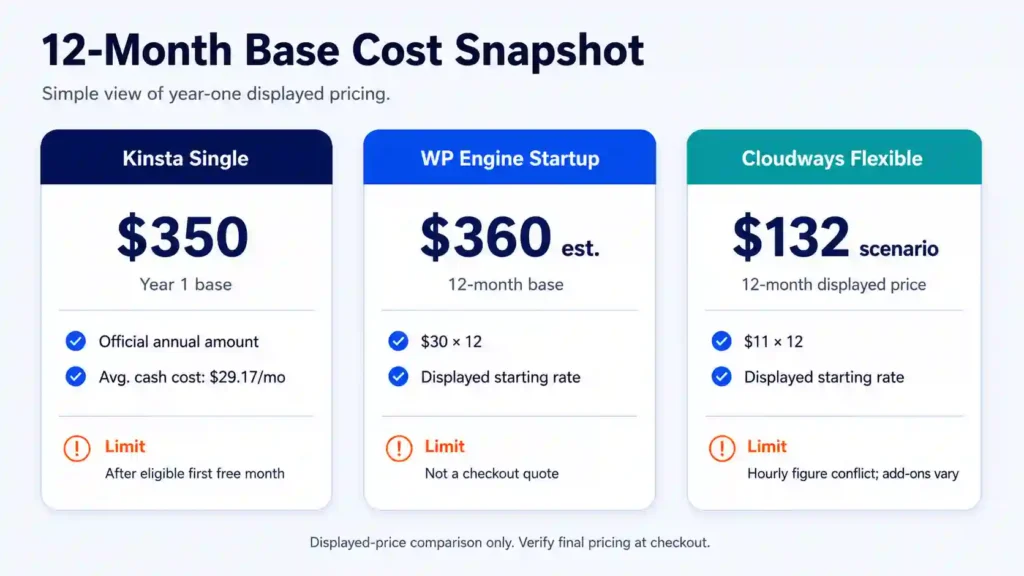
For a simple one-site base scenario, the current published figures produce the following directional first-year outlays before tax and add-ons:
| Scenario | 12-month base | Formula / evidence | Limit |
| Kinsta Single | $350 | Official annual amount after the eligible first free month | $350 ÷ 12 = $29.17 average cash cost across year 1 |
| WP Engine Startup | $360 estimate | $30 displayed starting rate × 12 | Not a checkout quote; renewal can change |
| Cloudways Flexible | $132 displayed-price scenario | $11 displayed starting rate × 12 | Not a quote; hourly figure conflicts and add-ons/resources vary |
The apparent Cloudways saving is $218 versus Kinsta and $228 versus the current-rate WP Engine estimate. Those differences should be treated as the price of a different operating model, not free money. Cloudways shifts more responsibility to server selection, resource monitoring, add-on control and application-level troubleshooting. Kinsta and WP Engine price more WordPress-specific standardization into the base plan.
A three-year model is defensible only as a sensitivity calculation. If current rates never changed, Kinsta would total $1,050, WP Engine would be $1,080 and Cloudways would be $396 before add-ons. WP Engine explicitly reserves the right to change renewal pricing, while Cloudways usage and configuration can change month to month. Use those totals as “current-rate floors,” not contractual forecasts.
Claim ledger
| Claim | Safe value / wording | Source | Class | Checked | Status |
| Kinsta annual entry amount | $350 billed annually; first month free on eligible entry plan | Kinsta pricing | Official | 2026-07-30 | VERIFIED |
| Kinsta entry limits | 1 site, 10GB storage, 20GB bandwidth or 35k visits, 125GB CDN, 14-day backups | Kinsta pricing | Official | 2026-07-30 | VERIFIED |
| Kinsta migrations | Unlimited free migrations on compared plan | Kinsta pricing | Official | 2026-07-30 | VERIFIED |
| Kinsta annual discount | Annual term includes two months free; eligible entry plans also first month free | Kinsta discounts | Official | 2026-07-30 | VERIFIED |
| Kinsta SLA baseline | 99.9% unless order form sets higher guarantee | Kinsta SLA | Official legal | 2026-07-30 | VERIFIED |
| Kinsta SLA remedy | Credits; customer claim within 30 days; listed exclusions | Kinsta SLA | Official legal | 2026-07-30 | VERIFIED |
| Kinsta cancellation | Self-service; first-30-day refund subject to conditions | Kinsta cancellation docs | Official | 2026-07-30 | VERIFIED |
| Kinsta overages | Usage boundaries can incur overages | Kinsta overage docs | Official | 2026-07-30 | VERIFIED |
| Claim | Safe value / wording | Source | Class | Checked | Status |
|---|---|---|---|---|---|
| WP Engine Startup price | Starting at $30/mo for first year | WP Engine plans | Official | 2026-07-30 | VERIFIED |
| WP Engine Startup limits | 1 site, 25k estimated visits, 10GB storage, 75GB bandwidth | WP Engine plans | Official | 2026-07-30 | VERIFIED |
| WP Engine Professional | $55/mo starting; 3 sites; phone and chat | WP Engine plans | Official | 2026-07-30 | VERIFIED |
| WP Engine renewal | Renewal pricing subject to change | WP Engine pricing footnote | Official | 2026-07-30 | VERIFIED |
| WP Engine environment | Essential plans shared; Core isolated | WP Engine plans | Official | 2026-07-30 | VERIFIED |
| WP Engine backups | At least 30 days; plan table says no more than 60 days | WP Engine plan/support docs | Official | 2026-07-30 | VERIFIED |
| WP Engine cancellation | 30-day notice; monthly renewal unless canceled | WP Engine plan management | Official | 2026-07-30 | VERIFIED |
| WP Engine migration | Automated plugin; final sync may be required | WP Engine migration docs | Official | 2026-07-30 | VERIFIED |
| Claim | Safe value / wording | Source | Class | Checked | Status |
|---|---|---|---|---|---|
| Cloudways starting monthly figure | $11 displayed on pricing page | Cloudways pricing | Official marketing | 2026-07-30 | PARTIAL |
| Cloudways price conflict | Displayed hourly figure does not reconcile with $11 monthly | Cloudways pricing | Official marketing | 2026-07-30 | CONFLICTING |
| Cloudways apps/visits | Unlimited within server capacity | Cloudways pricing | Official | 2026-07-30 | VERIFIED |
| Cloudways backups | $0.033/GB/server offsite storage | Cloudways pricing | Official | 2026-07-30 | VERIFIED |
| Cloudways trial | 3 days, no credit card | Cloudways pricing | Official | 2026-07-30 | VERIFIED |
| Cloudways cancellation | No long contract; delete servers/add-ons; final postpaid invoice | Cloudways cancellation/billing docs | Official | 2026-07-30 | VERIFIED |
| Cloudways stopped server | Stopped/inactive resources may remain billable until deleted | Cloudways billing docs | Official | 2026-07-30 | VERIFIED |
| Cloudways migration | WordPress/WooCommerce managed and self-service migrations free; managed unavailable during trial | Cloudways migration docs | Official | 2026-07-30 | VERIFIED |
| Cloudways standard support | 24/7 chat/tickets; initial ticket response up to 12h or 3h high priority | Cloudways support | Official | 2026-07-30 | VERIFIED |
| Performance winner | No matched current-week three-provider study | Research review | Editorial synthesis | 2026-07-30 | MISSING / BLOCKED CATEGORY |
Calculation appendix
| Calculation | Result | Inputs | Assumption / uncertainty | Status |
| Kinsta year 1 | $350 | Official annual invoice amount | Taxes/add-ons excluded | VERIFIED |
| Kinsta 3 years | $350 × 3 = $1,050 | Assumes current rate unchanged | Sensitivity only | ESTIMATE |
| WP Engine year 1 | $30 × 12 = $360 | Published starting rate | Not checkout; first-year terms | ESTIMATE |
| WP Engine 3 years | $30 × 36 = $1,080 | Assumes no renewal change | Provider says renewal may change | ESTIMATE / FLOOR |
| Cloudways year 1 | $11 × 12 = $132 | Displayed starting monthly price | Hourly figure conflicts; add-ons excluded | ESTIMATE |
| Cloudways 3 years | $11 × 36 = $396 | Assumes same server/rate | Usage/configuration can change | ESTIMATE |
| Cloudways vs Kinsta saving | $350 − $132 = $218 | Base scenario only | Not equivalent service boundary | ESTIMATE |
| Cloudways vs WP Engine saving | $360 − $132 = $228 | Base scenario only | Not equivalent service boundary | ESTIMATE |
Hidden costs, exclusions and operational risk
Kinsta: predictable base price, metered growth
Kinsta’s overage documentation states that plans have visit or server-bandwidth, storage and CDN boundaries and may incur charges when those limits are exceeded. The pricing page also lists optional paid items such as more frequent backups, external backups, extra disk space and additional WordPress sites. A site with highly variable bot traffic, media delivery or disk growth should model those items before choosing the smallest plan.
The Kinsta SLA sets a 99.9% uptime guarantee unless a higher percentage appears in the customer order form. Credits are the exclusive remedy, must be requested within 30 days and exclude maintenance, emergency maintenance, external-provider outages, traffic beyond plan capability and customer configuration. “Up to 99.99%” on a marketing grid is therefore not automatically the contract for every entry plan.
WP Engine: renewal uncertainty matters more than the starting price
WP Engine’s pricing footnote says first-year pricing and coupons apply to new Essential customers, are not valid for renewals, and that product renewal pricing is subject to change. This prevents an evidence-based fixed three-year total. The practical buying rule is simple: obtain the renewal amount shown in the order summary and save it with the purchase record before approving the migration.
Startup is a one-site shared plan with chat support. Professional includes three sites and chat plus phone support, which can make its $55 starting rate more commercially rational for an agency than buying or managing several single-site accounts. Optional security, plugin update, monitoring and performance products can raise the invoice; the plan builder should be reviewed with every toggle disabled and then with only required add-ons enabled.
Cloudways: resource freedom creates billing responsibility
Cloudways uses postpaid billing. Its billing-stop guide says a stopped or inactive server can remain billable and that charges stop only when the server is deleted and paid add-ons are deactivated. A final invoice can arrive in the following cycle. This is a more important cancellation fact than the absence of a long contract.
The base server is only part of total cost. Offsite backup storage, premium support, Cloudflare or DNS services, email, application maintenance and additional bandwidth can change the result. Cloudways Standard support is included, but its published support matrix gives standard tickets an initial response target of up to 12 hours—or three hours for high-priority tickets—while faster application-level help sits in paid support tiers.
Migration, backup and cancellation reality
| Provider | Migration path | Exit mechanics | Risk control |
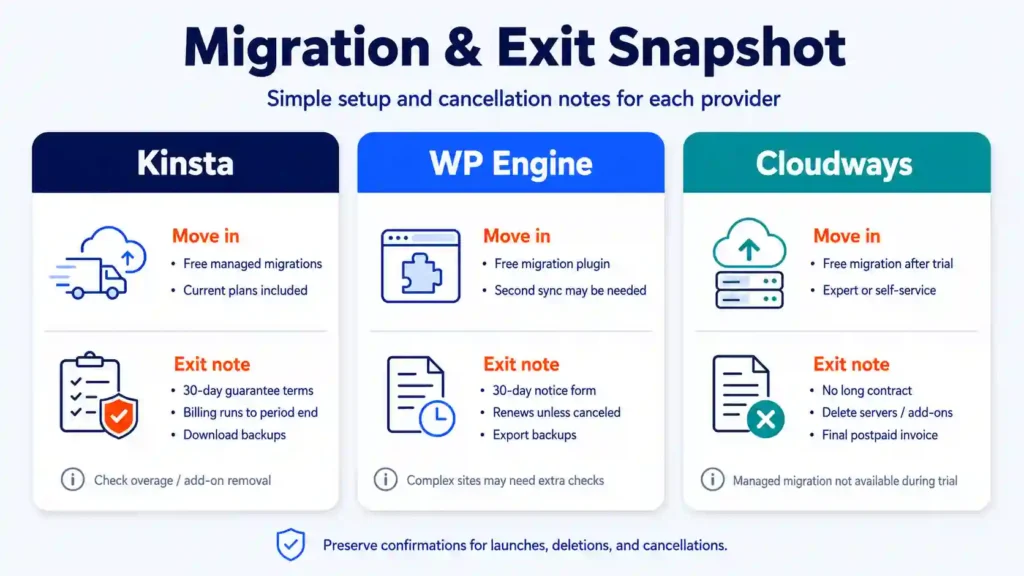
| Kinsta | Unlimited free managed WordPress migrations on current plans | 30-day guarantee conditions; afterward cancellation runs to billing-period end | Download backups and confirm overage/add-on removal |
| WP Engine | Free automated migration plugin; second sync may be needed | 30-day notice via cancellation form; plan renews unless canceled | Export backups; confirm whether self-service plugin covers complex sites |
| Cloudways | Free expert or self-service WordPress/WooCommerce migrations after trial | No long contract; delete servers/add-ons; final postpaid invoice | Managed migration unavailable during trial; preserve launch and deletion confirmations |
Kinsta documents cancellation inside MyKinsta and a refund path within the first 30 days, subject to its money-back conditions. WP Engine’s current plan-management guide requires 30 days’ notice and recommends downloading backups before access and content are removed. Cloudways’ cancellation guide requires customers to back up data, delete active servers, deactivate add-ons and expect a final invoice.
Migration tools are available from all three providers. Kinsta includes unlimited migrations on the compared plan. WP Engine provides a migration plugin and warns that compatibility and a final synchronization may matter. Cloudways offers free managed and unlimited self-service WordPress migrations but expert migration is not available during the trial period.
Support, backups and platform responsibility
Kinsta’s proposition is the most uniform: the provider manages the WordPress environment, includes daily backups with 14-day retention on the entry plan, and handles migrations. This is the best fit when the owner wants one accountable platform and accepts plan limits.
WP Engine includes 24/7 WordPress support on all compared plans, but Startup is chat-only while Professional and above add phone support. Its current backup documentation says it maintains at least 30 days of backups, and the plan page describes a 30-to-60-day retention window. The staging/development structure is particularly useful for teams that need formal release discipline.
Cloudways includes 24/7 live chat and ticketing, infrastructure and platform support. Its support comparison separates platform help from deeper application-level support and sells faster SLAs in Advanced and Premium tiers. That distinction is decisive for a company without an internal WordPress developer.
Performance and uptime: no defensible universal winner
A hosting comparison should not mix a Kinsta entry plan, a WP Engine shared plan and an arbitrarily sized Cloudways server and then treat the fastest page-load number as a product truth. Server region, PHP workers, cache state, theme, database size, CDN, traffic pattern and test window can reverse the result.
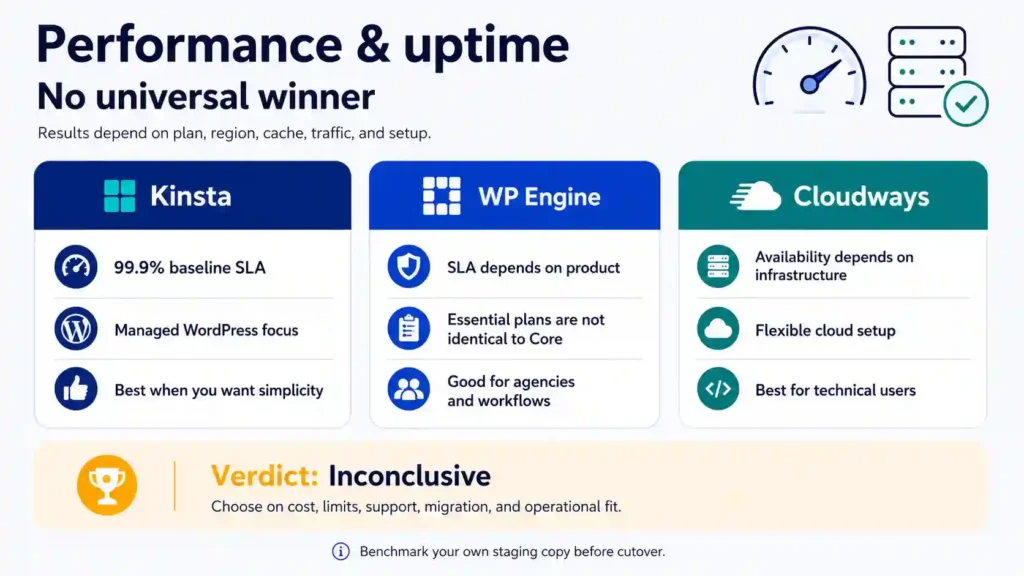
Kinsta’s legal baseline is 99.9% unless the order form sets a higher guarantee. WP Engine’s pricing page reserves 99.99% SLA language for isolated Core infrastructure rather than every Essential plan. Cloudways markets high-availability options, but Flexible availability and remedy depend on the selected product, infrastructure and applicable order terms. These are not symmetrical promises.
| Performance verdict: inconclusive No current-week matched test with disclosed equivalent plans, regions, cache states and samples was available. Choose on cost, limits, support, migration, billing and operational fit; benchmark your own production-like staging copy before a final high-traffic cutover. |
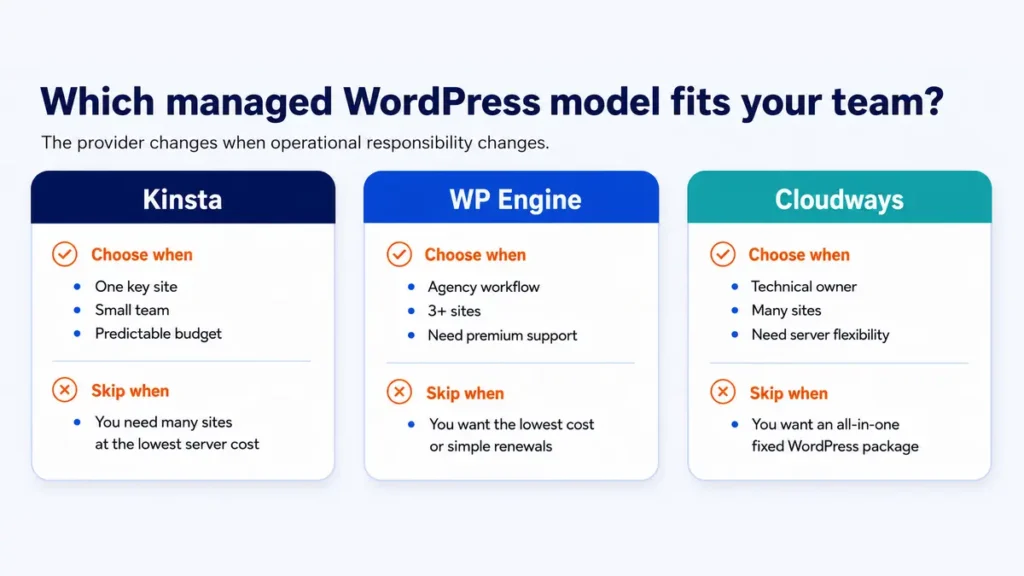
Who should choose Kinsta?
Choose Kinsta when one or a small number of business-critical sites justify paying for a fixed, WordPress-specific operating model; the team prefers a clear annual invoice; migrations and routine platform management should be handled by one provider; and traffic/storage boundaries can be monitored.
Skip Kinsta when you need to place many low-traffic sites on one server at minimum infrastructure cost, or when your traffic and media usage regularly exceed the included boundaries. The cheapest plan is not designed to function as an unlimited multi-site server.
Who should choose WP Engine?
Choose WP Engine when an agency or product team benefits from production, staging and development environments, transferable sites, collaboration controls and phone support on Professional or higher. Its three-site Professional plan can be more relevant than comparing only the one-site Startup headline.
Skip WP Engine when a fixed multi-year budget is mandatory and the renewal amount has not been documented at checkout, or when the team does not need the workflow features that justify the premium over a configurable managed server.
Who should choose Cloudways?
Choose Cloudways Flexible when someone on the team can size and monitor a server, several sites can share resources efficiently, and pay-as-you-go scaling is more valuable than a fixed site/visit package. It is the strongest value option for technically capable agencies and developers.
Skip Cloudways Flexible when the buyer wants a single fixed WordPress entitlement, a simple cancellation event that automatically removes every resource, or application-level troubleshooting included at the same depth as the infrastructure platform. In those cases, evaluate Cloudways Autonomous or a fixed managed WordPress provider instead.
Final verdict: match the provider to the responsibility you can own
Kinsta wins the default recommendation for a nontechnical business with one important WordPress site because its annual amount, limits, migration inclusion and 30-day guarantee are the easiest commercial package to understand. Confidence: high for the price-and-policy verdict; no independent speed claim is attached.
WP Engine wins for workflow-heavy teams. Professional is the meaningful comparison point for agencies because it includes three sites and phone support. Its limitation is long-term pricing transparency: renewal can change, so the order summary—not a comparison article—must supply the final budget figure. Confidence: medium-high for workflow fit, medium for long-term cost.
Cloudways Flexible wins for cost-sensitive technical users. The displayed $11 starting figure is materially below the fixed managed WordPress plans, but the public page’s hourly/monthly inconsistency, server sizing, backup storage, support tiers and deletion-based billing make it a qualified value winner. Confidence: medium until the selected launch screen is saved and the full configuration is costed.
| Next action Use the HostChoices hosting recommender to match site count, traffic variability, technical ownership and budget tolerance. Readers still comparing hosting categories can review the best web hosting providers before committing to managed WordPress. |
Frequently asked questions
Which managed WordPress host is best for beginners?
Kinsta is the clearest default for a beginner running one important site because the plan is fixed, migrations are included and cancellation/refund mechanics are documented. WP Engine is also beginner-usable, but its strongest differentiation appears when a team uses its workflow features. Cloudways Flexible requires more server and billing awareness.
Is Cloudways really cheaper than Kinsta and WP Engine?
Its displayed starting monthly price is lower. The comparison is not equivalent: Cloudways Flexible is a server-based model, and the final bill can include backups, support upgrades, bandwidth, email and other add-ons. The public page also contains a monthly/hourly inconsistency, so verify the exact launch-screen amount.
Can I host unlimited WordPress sites on Cloudways?
Cloudways Flexible does not impose the same fixed site count as Kinsta or WP Engine, but the server is not unlimited. CPU, RAM, disk, database workload and traffic determine how many production sites it can safely support.
Which provider has the best uptime?
This article does not name one. The providers publish different guarantees for different products, and there was no current-week matched test of equivalent plans. Uptime credits also have exclusions and claim procedures that matter more than the marketing percentage alone.
Which is best for an agency?
WP Engine Professional or higher is attractive when phone support, multiple environments and client handoff are central. Cloudways can have lower infrastructure cost for a technically capable agency managing many sites. Kinsta is stronger when the agency values a standardized managed platform and predictable per-plan limits.
Do these prices include email and domains?
Do not assume they do. This comparison models the hosting platform only. Verify domain registration, transactional email, mailboxes, DNS, security/CDN add-ons, backup storage and migration labor as separate line items.