
What is web hosting? 5 best server types for beginners
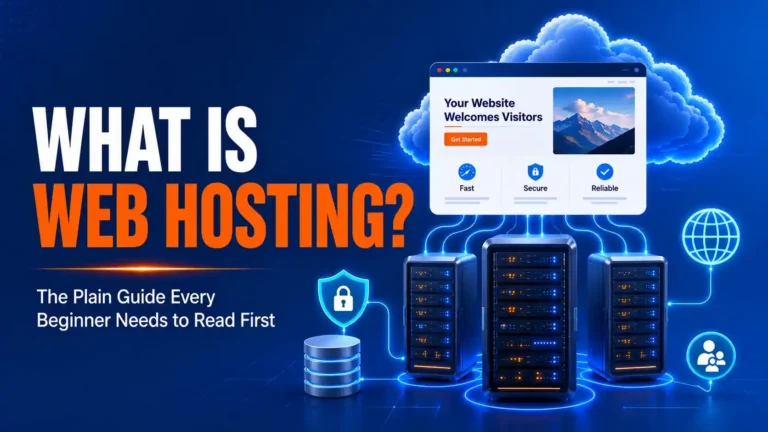
Every website you visit consists of files, databases, media assets, and code. For anyone on the internet to view those files at any time of day, they must live on a specialized computer that stays powered on, connected to high-speed internet, and configured to handle incoming web traffic. That computer is called a web server, and the service of renting space and computing resources on that server is web hosting.
At its core, what is web hosting comes down to server infrastructure: renting storage, compute power, and network bandwidth so your website remains publicly accessible around the clock. Without hosting, your website files live only on your local computer, out of reach for any visitor.
What is web hosting and how it works: step by step

When you look past the technical jargon to understand what is web hosting in practice, the entire process operates as a coordinated three-part system: the user’s browser, the domain name system (DNS), and the hosting server (as outlined in Mozilla Developer Network’s guide on how the web works).
- You enter a web address: A visitor types your domain name (such as
example.com) into their browser address bar. - DNS resolves the IP address: The browser queries a DNS server to translate the human-readable domain name into a numeric Internet Protocol (IP) address (such as
192.0.2.1) pointing to the specific physical server where your site is stored. - The browser sends an HTTP/HTTPS request: The user’s device sends a request across the internet to that specific hosting server, asking for the page files.
- The server processes and responds: The web server software (such as Nginx, Apache, or LiteSpeed) executes necessary scripts (like PHP), queries the database (such as MySQL or MariaDB), and bundles the HTML, CSS, JavaScript, and images.
- The browser renders the page: The server transmits the processed data back to the visitor’s screen in milliseconds, rendering the finished webpage.
If you want to explore the broader foundation of server infrastructure, our guide to hosting basics & selection walks through server architecture and key hardware metrics.
What is web hosting vs a domain name?

A common point of confusion for beginners exploring what is web hosting is distinguishing between a domain name and the server account itself. While companies often bundle both in a single checkout cart, they perform completely different functions:
- The domain name is your digital address (e.g.,
yourbrand.com). It tells browsers where to direct visitors, acting like a street address on a map. You register domains through an ICANN-accredited registrar. - The web hosting is the actual physical property or building located at that address. It holds the physical storage (NVMe/SSD drives), memory (RAM), and processing power (CPU) required to serve your content.
- The website files are the interior furnishings: your HTML templates, images, stylesheets, blog posts, and database records.
You can buy a domain name at one company (like Namecheap or Porkbun) and point it to a hosting account at an entirely different provider. The connection between the two is established by updating your domain’s nameservers or DNS A records.
The main types of web hosting explained
Hosting environments differ fundamentally in how server resources are partitioned. Clarifying what is web hosting architecture across different tiers helps you choose the right setup without overpaying for unused capacity or risking server slowdowns.
| Hosting type | Resource allocation | Technical difficulty | Best for | Typical entry price |
|---|---|---|---|---|
| Shared hosting | Shared with hundreds of accounts on one server | Beginner (managed control panel) | Small blogs, personal sites, low-traffic portfolios | .50 – / month |
| Virtual private server (VPS) | Dedicated virtual partition with guaranteed RAM/CPU | Intermediate to advanced | Growing businesses, custom web apps, medium traffic | 0 – 0 / month |
| Cloud hosting | Distributed cluster of networked virtual machines | Beginner to intermediate | Sites with variable traffic spikes, SaaS apps | 0 – 0+ / month |
| Managed WordPress hosting | Optimized stack (caching, staging, security) for WP | Beginner-friendly | WordPress content publishers, WooCommerce stores | 5 – 5 / month |
| Dedicated server | Entire physical bare-metal machine reserved for you | Advanced (sysadmin skills required) | Enterprise platforms, massive databases, strict compliance | 0 – 00+ / month |
1. Shared hosting
In a shared hosting environment, a single physical server hosts hundreds of separate customer accounts. All websites on the server share the same CPU pool, physical RAM, network interface, and storage drives.
Pros: Extremely affordable, zero server maintenance required, and usually equipped with beginner-friendly control panels like cPanel or custom dashboards.
Cons: Neighboring websites experiencing traffic spikes or running unoptimized scripts can temporarily consume shared resources, causing performance slowdowns (the “noisy neighbor” effect).
2. Virtual private server (VPS) hosting
VPS hosting uses virtualization technology (a hypervisor like KVM) to split a physical server into several isolated virtual machines. While you still share the physical hardware chassis, your account has dedicated slices of CPU cores, RAM, and disk space that other accounts cannot access.
Pros: Predictable performance, root/SSH access for custom software configurations, and isolated security boundaries.
Cons: More expensive than shared hosting; unmanaged VPS plans require Linux command-line knowledge to manage security patches and firewall rules.
3. Cloud hosting
Rather than relying on a single physical machine, cloud hosting distributes your website files across a connected network of virtual servers. If one hardware node fails or experiences high load, another node in the cluster automatically balances the traffic.
Pros: High uptime redundancy, rapid scaling of RAM and CPU without server migration, and utility-based pricing structures.
Cons: Monthly expenses can vary widely if billing is tied directly to variable bandwidth spikes and compute hours.
4. Managed WordPress hosting
Managed WordPress hosting is an application-specific environment configured to meet and exceed official WordPress hosting requirements. The server stack incorporates server-level object caching (such as Redis or Memcached), automatic core updates, isolated PHP workers, daily off-site backups, and custom firewall rules tuned to block common WordPress vulnerabilities.
Pros: Faster page delivery for WordPress sites, built-in staging environments, and support technicians experienced in WordPress debugging.
Cons: Higher monthly cost, and hosts often prohibit specific caching or backup plugins that conflict with their server architecture.
5. Dedicated server hosting
Dedicated hosting provides an entire physical bare-metal server dedicated solely to your organization. You have complete control over the operating system, hardware configuration, security architecture, and software stack.
Pros: Maximum computing power, full hardware isolation, complete data compliance control, and zero noisy-neighbor risks.
Cons: Highest cost tier and requires dedicated system administration expertise to configure, patch, and monitor.
Key features to evaluate in a web hosting plan
When researching what is web hosting value beyond marketing claims, specific hardware and network metrics determine your site’s real-world speed and reliability:
- Storage type and capacity: Look for NVMe (Non-Volatile Memory Express) SSD storage rather than older SATA SSDs or mechanical HDDs. NVMe drives handle read/write input-output operations per second (IOPS) significantly faster, accelerating database queries.
- Uptime guarantee (SLA): A reputable host guarantees at least 99.9% uptime in their Service Level Agreement (SLA). A 99.9% uptime allowance permits roughly 43 minutes of unscheduled downtime per month; 99.99% reduces that to under 4.5 minutes.
- Automated backups: Ensure the plan includes automated daily off-site backups with one-click restoration tools. Hosting accounts that store backups on the exact same drive as your live site offer inadequate disaster recovery.
- Free SSL/TLS certificates: Web browsers flag sites without an active HTTPS connection as “Not Secure.” Your host should provide automated, auto-renewing Let’s Encrypt or ZeroSSL certificates at no extra cost.
- Bandwidth and traffic limits: While many shared hosts advertise “unlimited bandwidth,” their terms of service enforce strict CPU, RAM, or inode (total file count) limits. Check acceptable use policies for practical traffic boundaries.
- Server locations: Choosing a data center physically close to your primary audience reduces network latency and improves time-to-first-byte (TTFB), which measures server responsiveness.
Understanding web hosting pricing and renewal traps
A frequent pitfall when evaluating what is web hosting costs over time is promotional pricing that triples or quadruples upon renewal. To budget accurately, always calculate the total cost of ownership over a 3-year horizon:
- Introductory discounts: A plan advertised at .95/month almost always requires paying for 12, 24, or 36 months upfront in a single lump sum.
- Renewal rates: That same .95/month plan typically renews at its regular rate of .99 to 4.99/month once the introductory billing cycle concludes.
- Add-on costs at checkout: Watch for pre-checked boxes during checkout for paid add-ons like automated site backups, proprietary SSL certificates, domain privacy, or basic SEO tools. Most of these can be handled for free via third-party plugins or native DNS features.
- Domain renewal fees: If a host offers a “Free Domain for 1 Year,” check the renewal price for year two. Standard
.comrenewals typically cost 0 to 8/year; some hosting companies charge 0 to 5/year for the same domain extension.
To model resource requirements and evaluate realistic price tiers across providers, use our interactive tool to find the right hosting plan based on your project parameters.
How to choose the right hosting plan for your project
Determining what is web hosting setup best aligned with your needs requires matching your project’s current traffic volume and software architecture to the right hosting category:
- New blog, portfolio, or hobby site (< 5,000 monthly visits): Start with an entry-level shared hosting plan or basic cloud plan. Keep your initial investment low until traffic justifies an upgrade.
- Content site or business blog using WordPress (5,000 – 50,000 visits): Choose a mid-tier managed WordPress hosting plan or high-performance cloud instance with server-level caching.
- E-commerce store (WooCommerce, Magento) or membership portal: Avoid standard shared hosting. E-commerce sites make dynamic database calls that cannot be statically cached, requiring dedicated RAM and CPU resources found on a managed VPS or specialized cloud tier.
- Custom web application or SaaS product: Deploy on an unmanaged or managed cloud VPS (such as DigitalOcean, Linode, or AWS) where you control the exact runtime environment and API dependencies.
For side-by-side breakdowns of established infrastructure providers across performance, pricing, and support, see our vetted list of the best web hosting providers.
Frequently asked questions about what is web hosting
Can I host a website on my personal computer for free?
Technically yes, but practically no. Hosting a public website from a home computer requires keeping your PC powered on 24/7, configuring a static residential IP address, modifying router firewall port forwarding (ports 80 and 443), and risking home network security. Commercial hosting facilities provide redundant power supplies, enterprise DDoS protection, and gigabit fiber connections that residential setups cannot match.
Can I switch web hosting providers later?
Yes. Website files, databases, and media can be migrated to another server at any time. Many web hosts offer free automated website migration plugins or white-glove migration services to move your site with minimal or zero downtime.
What is the difference between web hosting and website builders?
Evaluating what is web hosting compared to an all-in-one website builder comes down to control. Website builders like Squarespace, Wix, or Shopify bundle hosting, domain management, CMS software, and visual drag-and-drop page editors into a proprietary closed ecosystem. With standalone web hosting (paired with open-source software like WordPress), you own your files completely and can export, modify, or move them anywhere without platform lock-in.
HostChoices provides independent, evidence-based hosting analysis. We may earn a standard referral commission from verified partner links on this page at no additional cost to you.